Automations
When something happens to a customer, do something: send an email, add a tag, notify you or call another app — with conditions and waits.
An automation follows up for you. Each one is a flow on a canvas, read top to bottom: When something happens to a customer, Only if they match your conditions, Then run the steps in order. Click any step to edit it in the panel beside the flow, and use the + between steps to insert one anywhere.
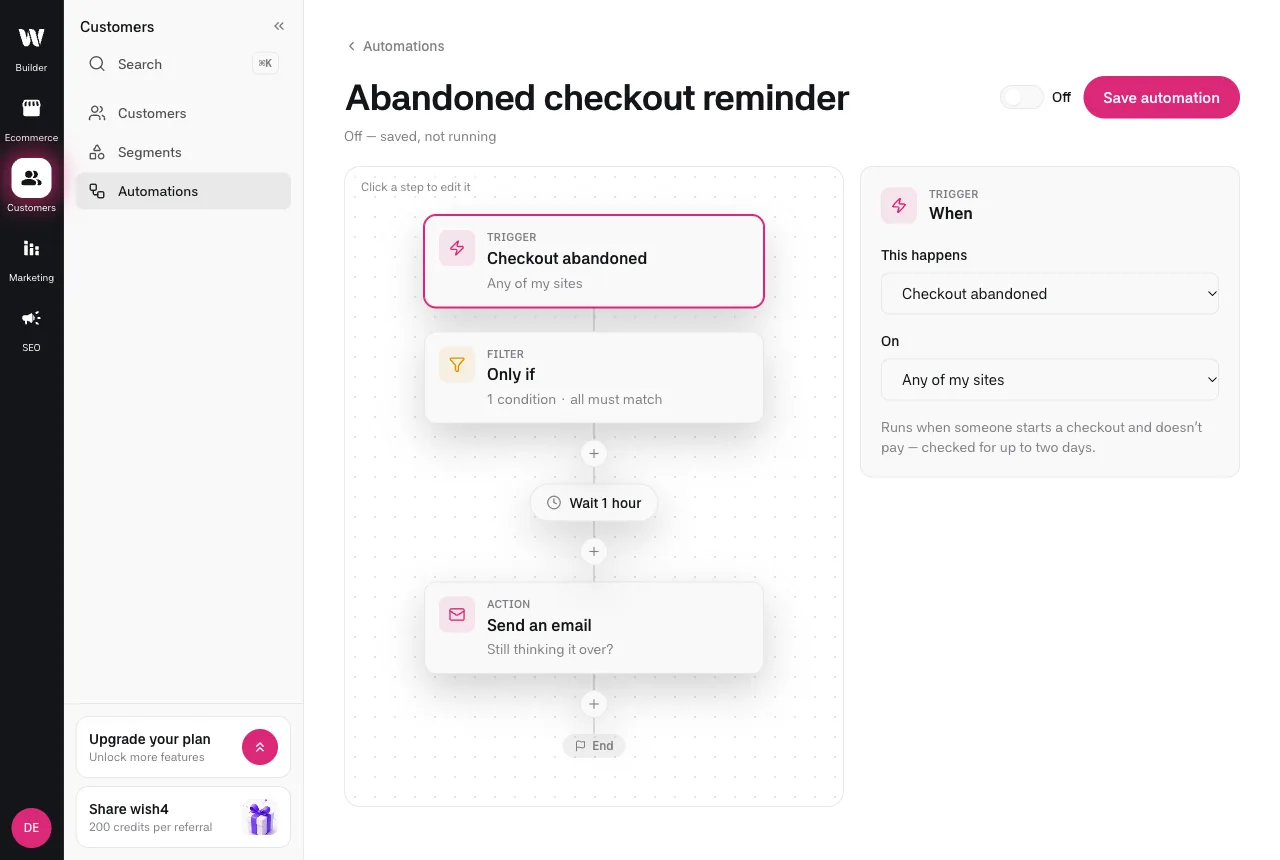
When — the trigger
- New customer — once, however they arrive.
- Form filled in — optionally only on pages whose address contains e.g.
/contact. - Order paid — optionally only above an order total.
- Checkout abandoned — started a checkout and didn't pay.
- Tag added — by you or by another automation.
- Signed in to a members-only site — the first time.
Each trigger can be limited to one of your sites.
Only if — conditions
Use the same conditions as Segments, plus *is in segment*. They're checked when the automation starts and again after every wait, so a customer who no longer matches — say, they bought in the meantime — stops there.
Then — steps
- Send an email — subject, message and an optional button. Use
{{first_name}},{{name}},{{email}}and{{site}}to personalise it; a blank line starts a new paragraph. - Wait — minutes, hours or days (up to 90 days) before the next step.
- Add a tag / Remove a tag.
- Notify me — emails you a link to the customer, with an optional note.
- Send to another app — posts the customer as JSON to a webhook address (Zapier, Make…).
Turn it on
Switch it On and save. It runs for new activity from then on — not for things that happened before. Each automation shows its recent runs: who it ran for, what each step did, and when a waiting customer continues. Turning it off stops customers who are waiting in it.
About the emails
- They're sent under your site's name, and replies go to your account email.
- Every email has an unsubscribe link; people who unsubscribed (or have no email) are skipped.
- Up to 300 automation emails per account per day.
Start from a recipe on the empty Automations page: Welcome new leads, Tag VIP customers or Abandoned checkout reminder.