Shipping zones & rates
Set where you ship and what shoppers pay: zones by country or state, flat or weight-based rates, free shipping, and live US rates from USPS, UPS and FedEx.
Ecommerce → Shipping works like Shopify's shipping settings: you group the places you ship to into zones, and give each zone the rates shoppers can pick at checkout.
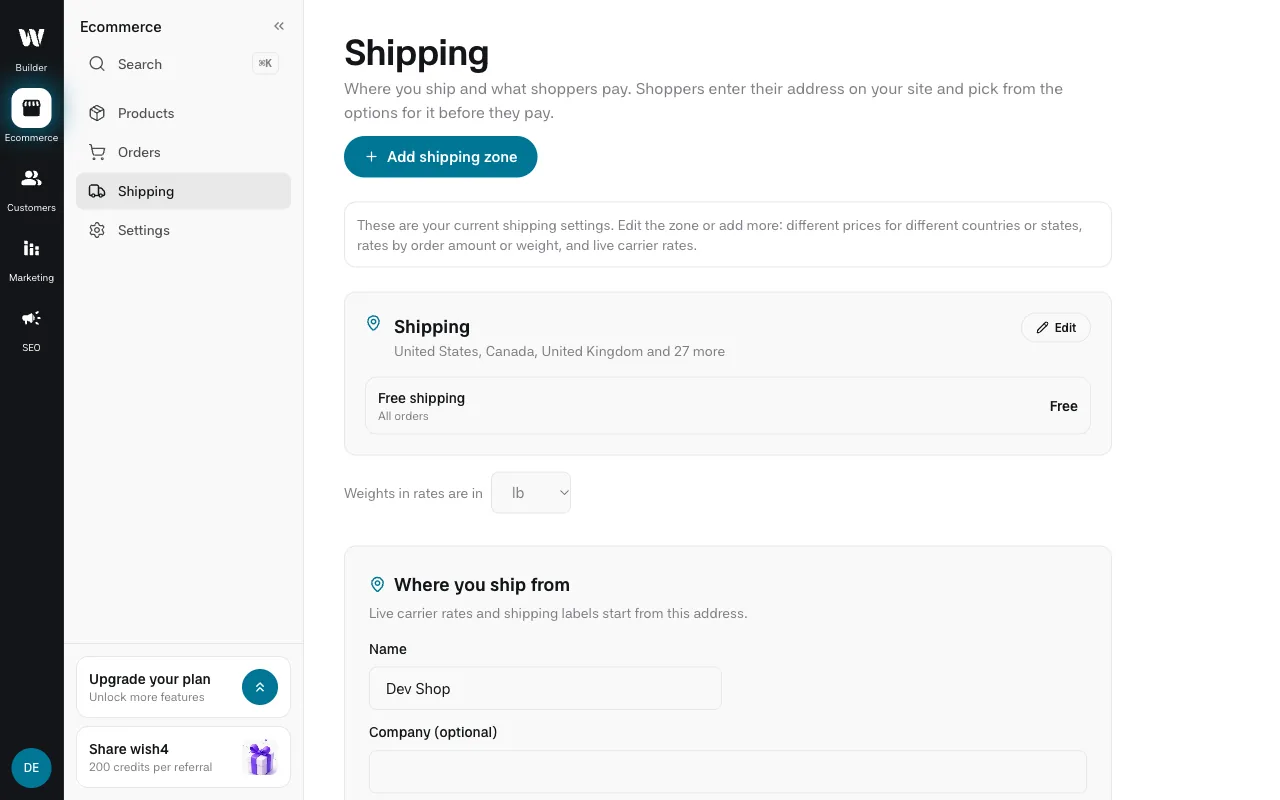
Zones
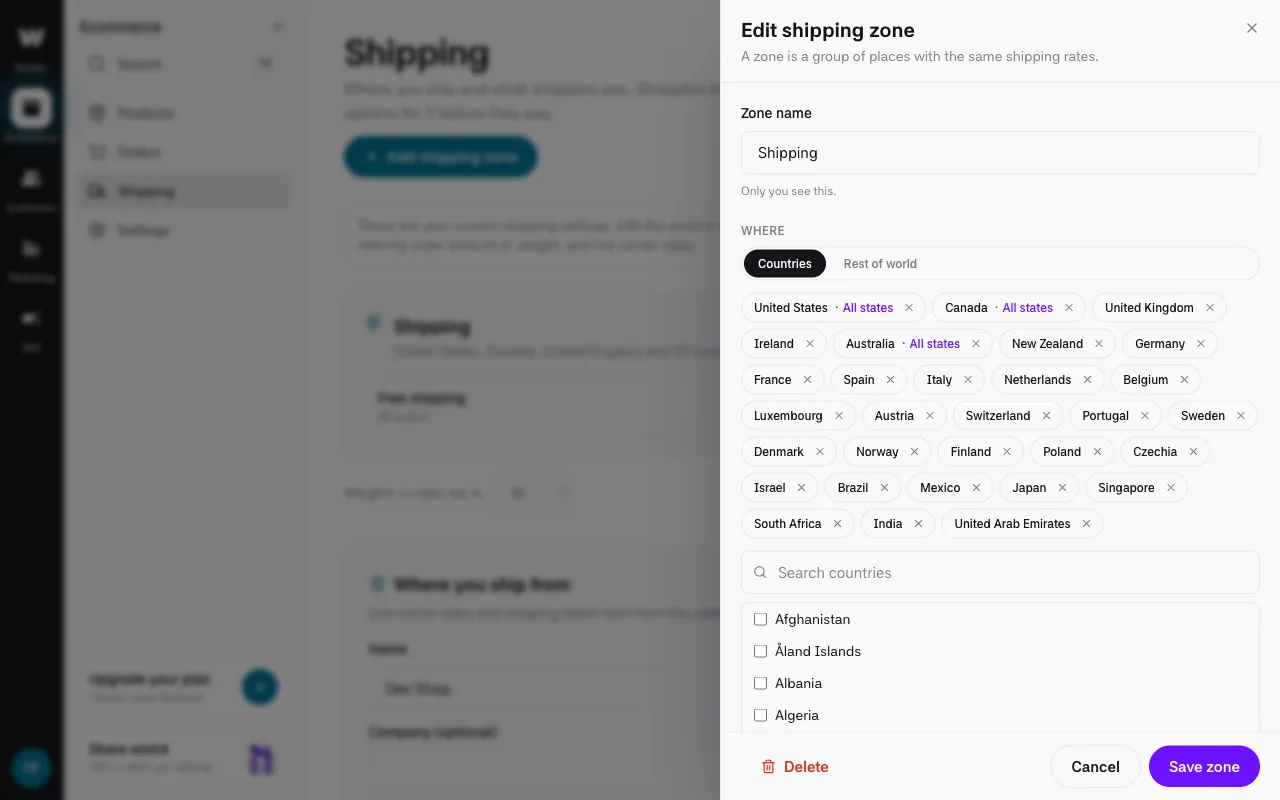
- A zone is a group of places with the same rates — e.g. *Domestic*, *Europe*, *Rest of world*.
- Add countries, or only some states or provinces in the US, Canada and Australia (e.g. a zone for Alaska & Hawaii).
- Rest of world catches every country that isn't in another zone. Without it, you only ship to the places you listed.
- Each place can be in one zone only.
Rates
Each zone has one or more rates. Shoppers see every rate that fits their order, and the cheapest is selected first.
- Name and price — e.g. *Standard $5*, *Express $15*. A price of 0 is free shipping.
- Delivery estimate — business days, shown under the rate.
- Conditions — limit a rate by order amount or by weight (e.g. *Heavy parcel* only over 5 lb).
- Free over — make a rate free when the order passes an amount.
Live carrier rates (USA only)
A zone that's entirely inside the United States can also show live USPS, UPS and FedEx prices for the shopper's address, from ShipDuo. They appear at checkout once the shopper enters their street, city and ZIP code, next to your flat rates.
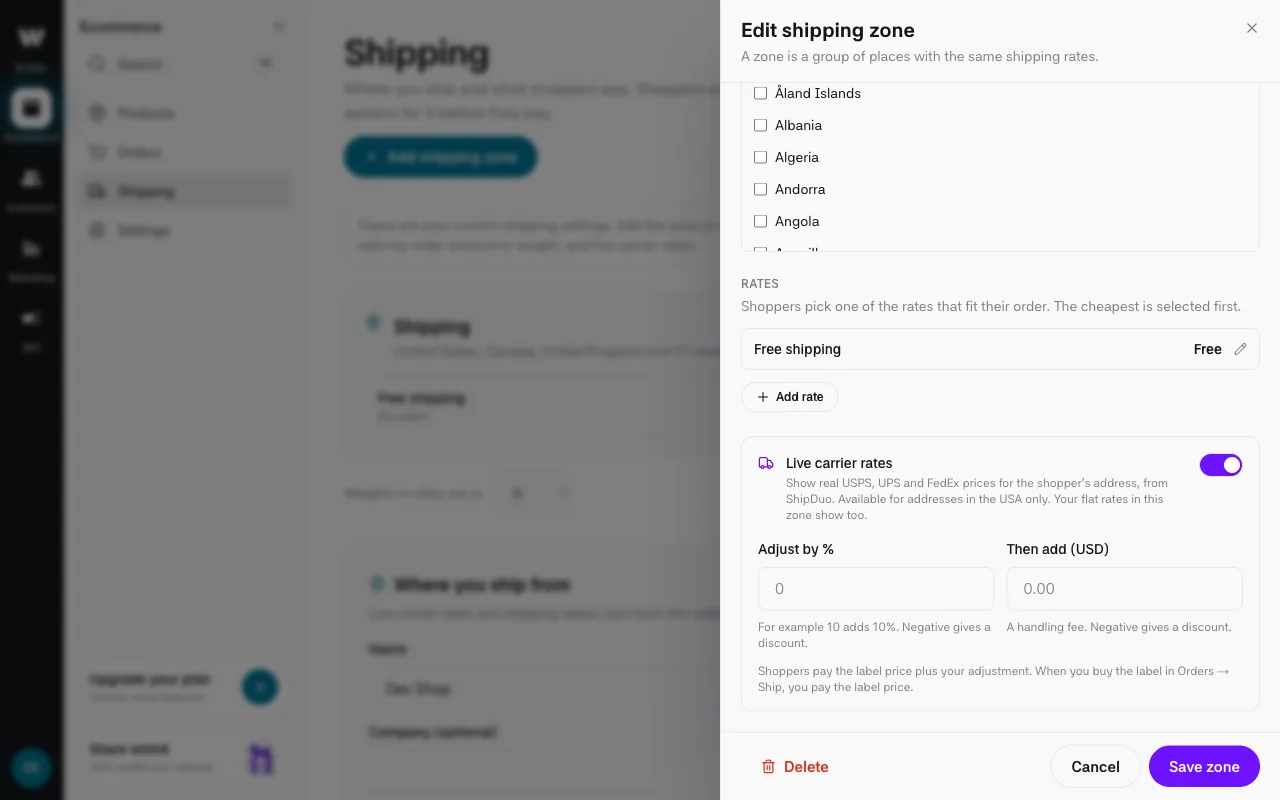
- Shoppers pay the carrier's label price plus your adjustment — a percentage and/or a flat handling fee (negative values give a discount).
- They need your ship-from address (on the same page) and a store currency of USD.
- The option isn't shown for zones with other countries or *Rest of world* — international shoppers get your flat rates.
Where you ship from
Below the zones, save your ship-from address and your usual box size. Live rates and shipping labels start from there. Start typing the street and pick the suggested address — city, state, ZIP and country fill in for you. Shoppers get the same suggestions in your site's checkout.
Built your shop before adding zones? Ask the builder to *“update my checkout for my shipping zones”* — the site then asks for the address first and shows the right options. The builder also reminds you when it notices.