Import your site
Bring an existing website (Wix, Squarespace, Webflow, WordPress…) or a code zip from another AI builder into wish4 and keep building.
Already have a site somewhere else? Don't start from a blank page. Import your site brings it into wish4 so you can keep improving it by chatting. There are two ways in:
- Website — paste the address of a live site (Wix, Squarespace, Webflow, Framer, WordPress, Shopify and more). wish4 visits it in a real browser and rebuilds it in your project.
- Code from another builder — upload a
.zipexported from Lovable, Bolt, v0, Replit or GitHub.
Import a website
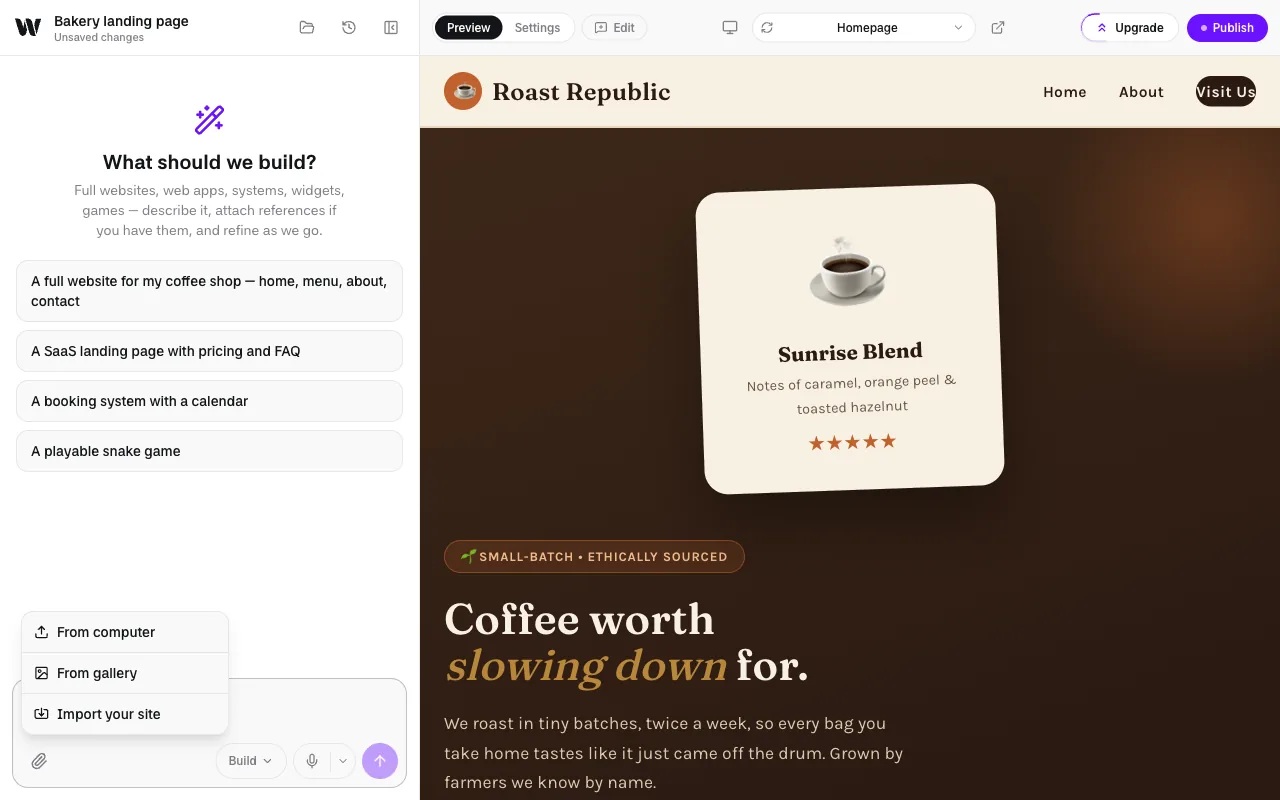
In the prompt box (on your dashboard or in the builder), click + (the paperclip in the builder) and choose Import your site.
Choose Website. To bring code instead, pick Code from another builder and upload your zip.
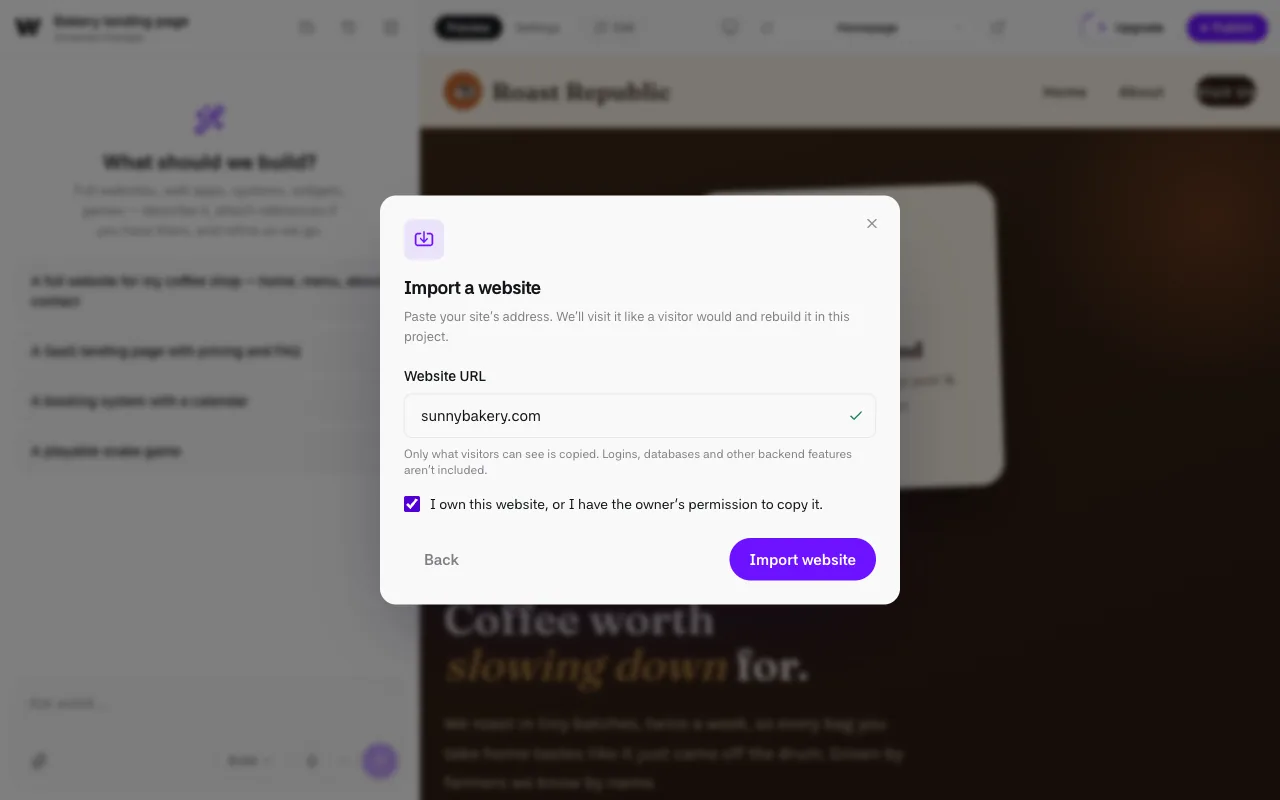
Type the address — yourbusiness.com is enough — and tick I own this website, or I have the owner's permission to copy it. Then click Import website.
The chat shows a Website importer message, then “Reviewing your website…”. In about half a minute wish4 has looked at the whole page, and the builder starts writing your home page and the main pages from your menu.
What gets copied
wish4 opens your site the way a visitor would — it closes the cookie banner and scrolls the whole page so nothing is missed — and hands the builder everything it saw:
- Screenshots of the full page on desktop and on a phone, so the layout matches.
- Your text, section by section, exactly as written.
- Your design — colours, fonts (self-hosted fonts are copied too), button styles, corner radius and page width.
- Your images and logo, copied into your project's files so nothing depends on the old site.
- Your menu and footer, and the list of your other pages.
After the home page, the builder imports the other pages from your menu one by one, comparing each with the original. To bring in a page it skipped, just ask: *“Import the /pricing page too.”*
What doesn't come across
- Only what visitors can see is copied. Logins, databases, payments and other back-end features aren't — ask the builder to rebuild them on wish4 (see Apps, data & members and Your online store).
- Forms become wish4 forms, so submissions land in Customers.
- Animations and widgets are rebuilt to look and behave the same, not copied line by line.
- Private pages behind a login can't be reached.
Only import sites you own or have the owner's permission to copy. wish4 records your confirmation, and it can only reach public websites.
An import builds several pages at once, so it uses more AI credits than a single edit. Once it's in, refine it like any other project: *“Make the hero shorter,” “Add a booking form.”*