Customers
Everyone who left details on your sites or bought from them, in one list — with full history, tags, notes and CSV export. On every plan.
Customers is your built-in CRM. Everyone your sites meet lands here, in one list for your whole account: people who fill in a form, sign in to a members-only site, or buy through your checkout. Someone who does several of these — on any of your sites — is one customer, matched by email. Customers is included on every plan, Free too.
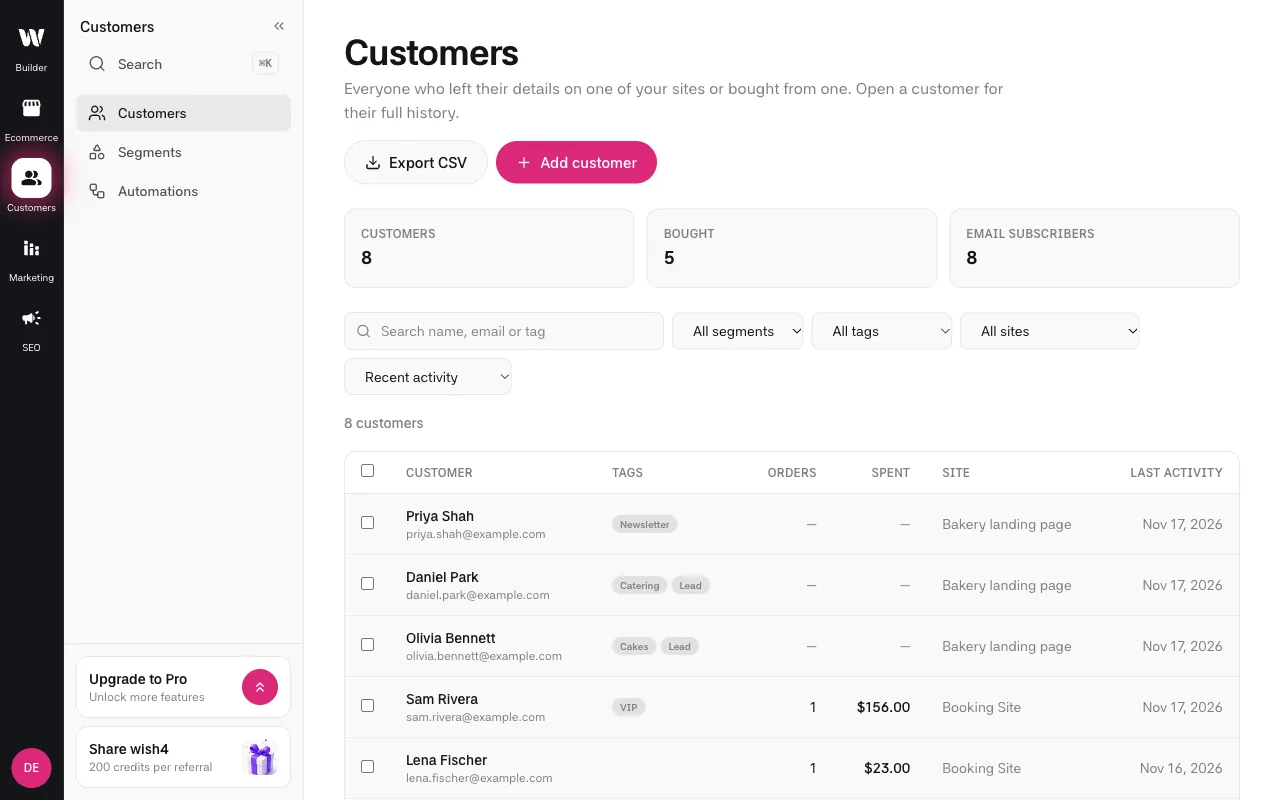
The list
- Search by name, email or tag, and filter by segment, tag or site.
- Sort by recent activity, newest, most spent, most orders or name.
- Select customers to add or remove a tag, or delete them, in one go.
- Import CSV brings in a list from Shopify, Klaviyo, Mailchimp or a spreadsheet. People are matched by email, so no one is added twice. Imports don't start automations, and new people get automation emails only if you confirm they agreed to them. A Shopify customer export brings addresses and order totals too; big files import in the background with a progress bar.
- Export CSV downloads exactly what you're looking at.
- Add customer for someone you met outside your sites.
A customer's profile
Open a customer to see their orders, total spent and when they first showed up, and their full activity: every form they filled in (with all the fields), every order (with a link to it), checkouts they didn't finish, tags, emails your automations sent them, and notes.
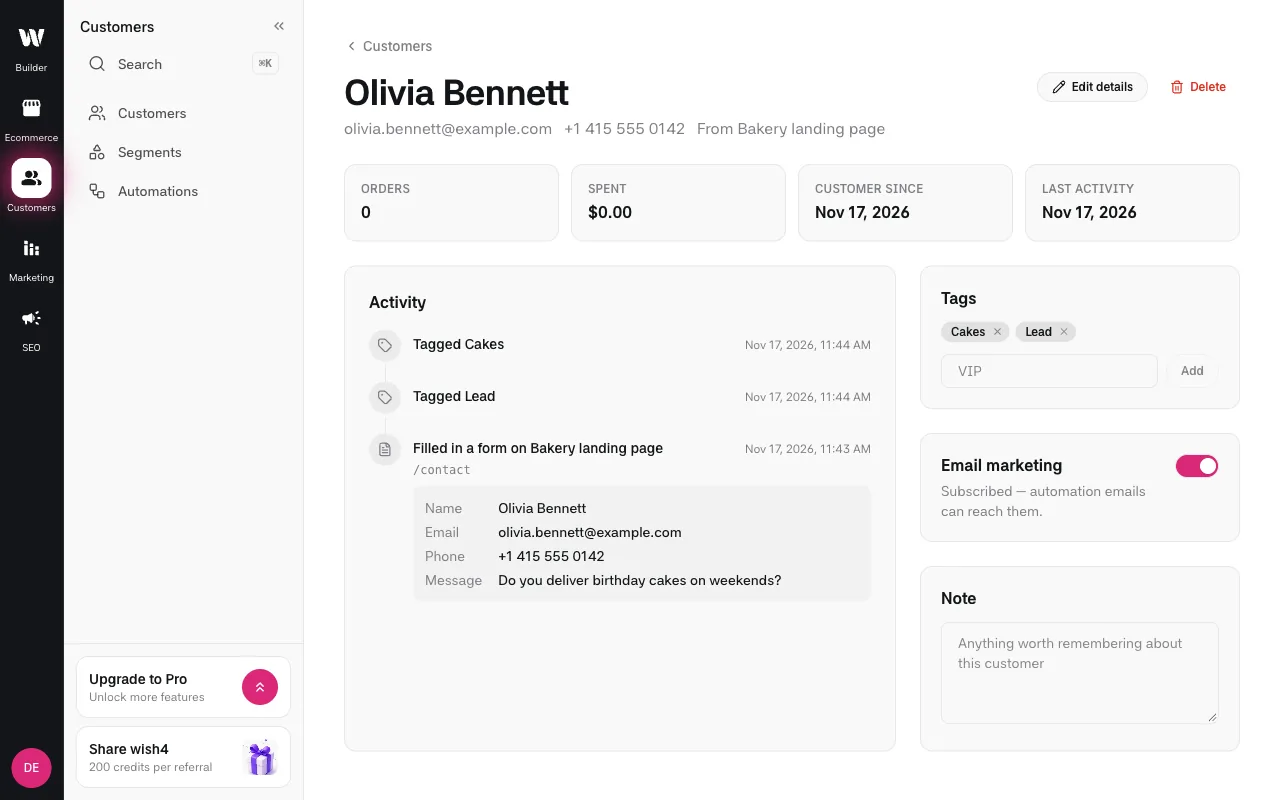
- Tags — your own labels, like *VIP* or *Wholesale*. Automations can add and remove them too.
- Email marketing — whether automation emails can reach them. People who click *unsubscribe* in an email are switched off automatically.
- Note — anything worth remembering.
Your forms feed Customers automatically — see Forms & leads. Group customers with Segments and follow up with Automations.