Your online store
Sell products from any of your sites: a product catalog, checkout on your own Stripe with no wish4 cut, orders and shipping.
Ecommerce turns any of your sites into a shop. You keep one product catalog for your whole account, any site can show it with a cart, and shoppers pay on your own Stripe account — the money goes straight to you and wish4 takes no cut (Stripe's normal fees apply).
Ecommerce is in the left rail for accounts created on wish4. If you joined through our Shopify app, your store stays on Shopify — see Shopify.
Set it up
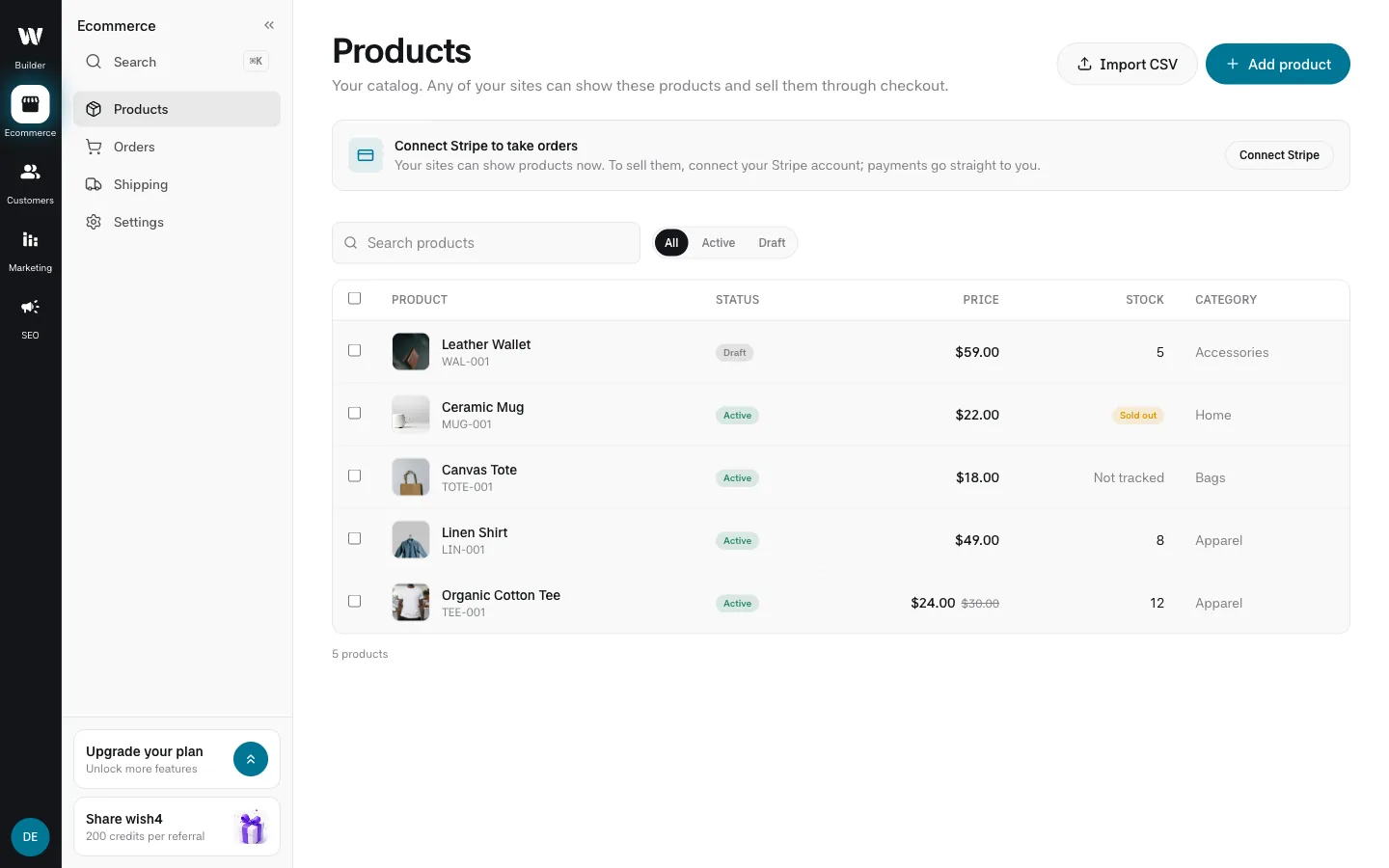
Open Ecommerce → Products and click Add product, or Import CSV to add many at once.
Paste your Stripe key in Ecommerce → Settings → Payments. See Payments with Stripe.
If you sell physical products, add your shipping zones and rates in Ecommerce → Shipping. See Shipping zones & rates.
In any project, ask: *“Add a shop page with my products, a cart and checkout.”* The builder already knows your catalog, currency and shipping.
Products
- Title, description and photos — upload photos or paste a link; the first one is the main photo.
- Price and compare-at price — the compare-at price shows crossed out, for a sale.
- SKU, stock, category and tags — turn on Track stock and the count goes down with every paid order; at zero the product shows as sold out.
- Physical or digital — physical products ship, so give them a packed weight (and optionally a size) for weight-based and live carrier rates. Digital products and services skip shipping at checkout.
- Active or draft — drafts are hidden from your sites.
- Its own page — click a product (or Add product) to open it full-page. Drop photos onto Media to upload them, and drag them to change the order.
- Variants — add options like *Size* and *Color* and every combination becomes a variant with its own price, compare-at price, SKU, stock, weight and photo. Shoppers pick one on your site; stock counts down per variant.
- Metafields — extra details your site can show, like
custom.materialor care instructions: text, long text, number, true/false, link or date.
Import a CSV
Import CSV takes one product per row with the columns title, description, price, compare_at_price, sku, stock, category, tags, images, status — download the template from the import window. A Shopify product export works as-is. A row whose SKU (or handle) already exists updates that product; the rest are added. A Shopify export brings its variants (the Option1–3 columns) and its metafields columns too. For stock, import Shopify's inventory export as well (Products → Inventory → Export): it sets each variant's stock, adding up all locations.
Checkout
When a shopper checks out, they pay on a secure Stripe page and come back to your site's thank-you page. If you ship to more than one zone, your site asks for the address first so it can show the right shipping options. Every paid order lands in Orders, and the buyer appears in Customers.
Own-brand supplements
Turn on Productifi in Ecommerce → Settings to sell your own-brand supplements: design them in Productifi, import the approved ones into Products, and when one sells, Productifi makes and ships it for you. See What is Productifi.